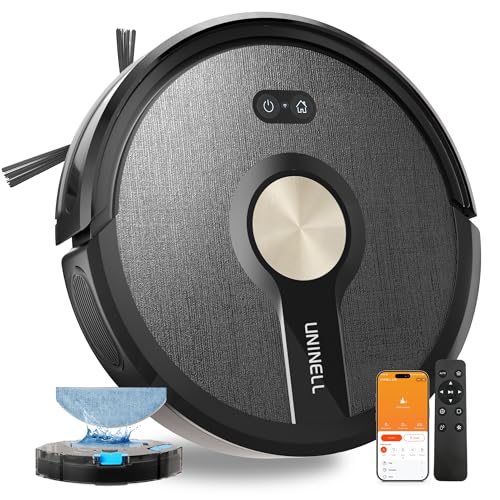
uninell UR1 Robot Vacuum Cleaner With Mop
A budget robot vacuum and mop, offering 5,000 Pa of suction and up to 180 minutes of run time.
A little regular maintenance keeps a robot vacuum cleaning strongly and lasting for years. This guide covers the brushes, filters, sensors and dock care that matter, and how often to do them.
Keep it running well by emptying the bin, clearing the brushes of hair, cleaning the filter and wiping the sensors regularly, and replacing consumables when worn. Most of this takes minutes, and skipping it is the main reason robots lose suction or start missing areas. A maintained robot cleans far better and lasts much longer.
Hair and fibres wrap around the main brush and side brushes, which kills cleaning performance, especially in pet homes. Remove and clear them regularly - many brushes pop out for cleaning, and some are designed to resist tangling. Trim away wrapped hair with scissors if needed, and replace brushes when they are visibly worn.
Empty the bin often (or rely on the self-empty dock) and clean or replace the filter on the maker's schedule, since a clogged filter chokes suction. Many filters can be tapped clean or rinsed if designed for it, but check the manual, as some are not washable. A blocked filter is a common cause of weak cleaning.
Wipe the cliff sensors, charging contacts and any camera or laser window with a soft, dry cloth so the robot navigates accurately and docks reliably. Check the wheels and caster for trapped hair and debris. Dirty sensors cause erratic navigation and missed areas, so this quick wipe makes a real difference to coverage.
Keep the charging or self-empty dock clear and its contacts clean, and change the dust bag when full. If the robot mops, rinse or replace the mop pads and keep the water tank clean to avoid smells and blockages. Premium docks that wash mop pads still need their trays and water cleaned periodically.
| # | Model | Suction | Run time | Navigation | Mop | Self-empty |
|---|---|---|---|---|---|---|
| 1 | uninell UR1 Robot Vacuum Cleaner With Mop | 5,000 Pa | 180 min | Gyroscope | Yes | - |
| 2 | Monsga MS1 MAX Robot Vacuum With Mop | 7,000 Pa | 180 min | LiDAR | Yes | Yes |
| 3 | Vexilar Cleanova W9 Robot Vacuum Cleaner With Mop | 10,000 Pa | 150 min | LiDAR | Yes | - |
| 4 | Tapo RV20 Max Plus Robot Vacuum and Mop | 5,300 Pa | - | LiDAR | Yes | Yes |
Specs from each manufacturer's Amazon UK listing, checked 2026-11-09.
A budget robot vacuum and mop, offering 5,000 Pa of suction and up to 180 minutes of run time.

A mid-range robot vacuum and mop with a self-emptying dock, offering 7,000 Pa of suction, LiDAR navigation and up to 180 minutes of run time.

A budget robot vacuum and mop, offering 10,000 Pa of suction, LiDAR navigation and up to 150 minutes of run time.

A budget robot vacuum and mop with a self-emptying dock, offering 5,300 Pa of suction and LiDAR navigation.
Empty the bin, clear hair from the brushes, clean or replace the filter, and wipe the sensors and contacts regularly, then replace worn consumables. Most of this takes minutes and keeps suction strong and navigation accurate.
Empty the bin after each clean (or use a self-empty dock), clear the brushes and wipe sensors weekly or so, and clean or replace filters on the maker's schedule. Pet homes need the brushes cleared more often.
Usually a full bin, a clogged filter, or hair wrapped around the brushes. Clearing those restores suction in most cases. If it persists, check for blockages in the airflow path and replace worn filters or brushes.
Our top pick is the uninell UR1 Robot Vacuum Cleaner With Mop (our score 9.6/10) - a budget robot vacuum and mop, offering 5,000 Pa of suction and up to 180 minutes of run time.